 VS Live Pro
Run backing tracks, click and multitracks from your phone or tablet
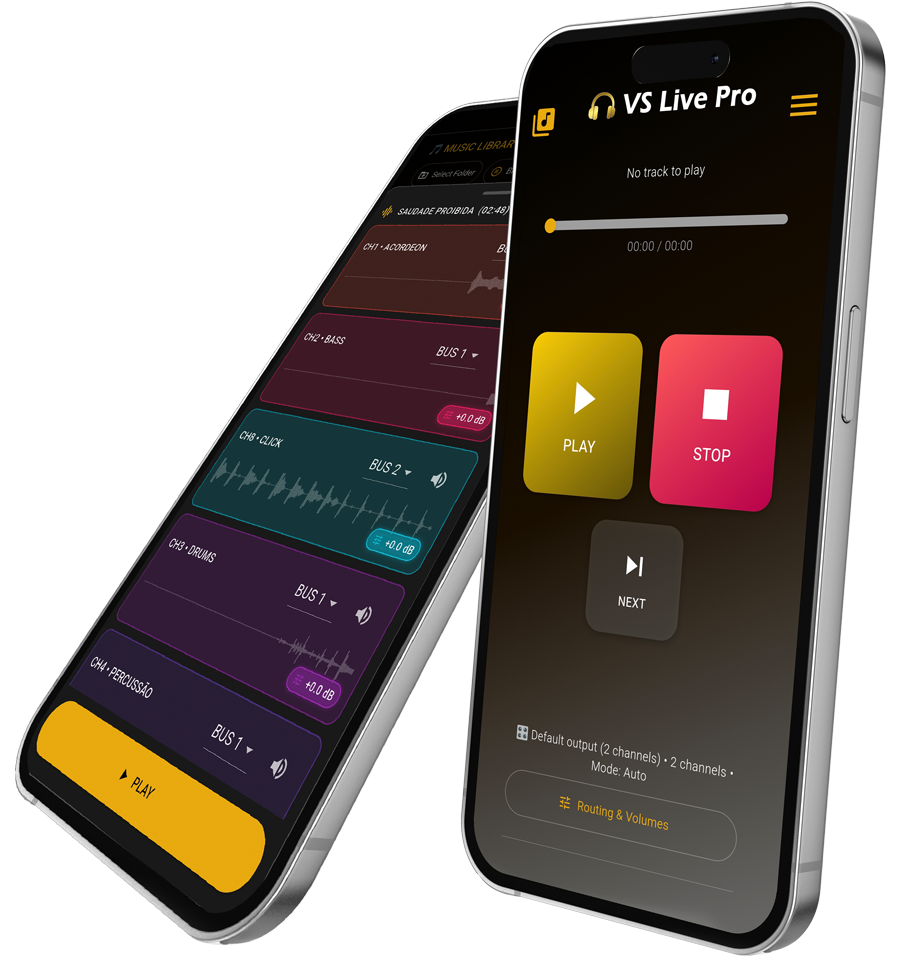
Built for live shows: up to 8 real channels, separate click track, BUS routing, setlists, PDF export and full offline reliability. Leave your laptop behind and perform with confidence.


WHY USE IT?
Understand VS Live Pro. Your show in the palm of your hand!
On your phone or tablet
A simple and straightforward app packed with stage-focused features — built to run Backing Tracks from your phone.
Multitrack up to 8 channels
Play your stems in multitrack with up to 8 channels, with independent routing and volumes — exactly how you need it.
Total show control
A pocket DAW with pro-level features, perfect for commanding your backing tracks and playbacks on stage.
Perfect backup on the road
Even if you or your band already use a DAW and a computer, VS Live Pro is the perfect backup for your show.
Setlists and PDFs in hand
Build setlists, organize your repertoire and have the full show PDF ready for quick reference — all with a stage-optimized interface.
Professional, no ads
It’s a professional app, so it has no ads. Consider subscribing to support continued development.
Start using VS Live Pro
Available for Android. Try it now and run backing tracks, click tracks and multitracks at your next rehearsal or live show.
How it works
Import your songs (backing tracks or playbacks)
Choose the folder where your backing tracks are. VS Live Pro detects the channels and prepares everything for the show.
Build your setlist
Organize the song order, add scheduled breaks, define blocks in the repertoire and save different shows inside the app.
Adjust levels and route channels
Before the show or during soundcheck, adjust the tracks’ volume (if needed), choose the output BUS/channel, and get everything dialed in. The app keeps all settings saved.
Generate the automatic PDF
With one tap, the app generates a complete PDF with your setlist, timings and show information, ready to send to the band, production or client.
Press play and let the app work
During the show, VS Live Pro manages the queue and automatically pauses where you scheduled breaks. You just press play and focus on playing and singing.
Features
Frequently asked questions about VS Live Pro
Clear your main questions and see how VS Live Pro works in backing tracks L/R and Multitrack. Get to know the modes and how to use them in the app. I’ll explain as if you were organizing your songs in a folder:
Stereo Split (L/R)
- WHAT IT IS: VS and click are in the same audio track, one on each side of the headphone/cable:
- WHAT THE FILE LOOKS LIKE: It’s a single audio file, for example:
SONG NAME.mp3
- WHEN TO USE: When you already have the VS exported in the “L/R” format.
Ideal for those who export everything from the DAW into a single file.
Multitrack (up to 8 channels)
- WHAT IT IS: VS with separate tracks:
- WHAT THE FILES LOOK LIKE: You must place the tracks with the same name, for example:
SONG NAME (CLICK).mp3
SONG NAME (KEYS).mp3
SONG NAME (ACOUSTIC).mp3
SONG NAME (PERCUSSION).mp3
You need to name the tracks with the same song name and the instrument/click inside parentheses. The app understands these files belong to the same song and groups everything together.
- WHEN TO USE: When you prefer to control each channel separately.
What’s the difference between "mp3" and "wav"? Which extension should I use?
VS Live Pro accepts both formats — MP3 and WAV — and both work normally.
The main difference is compression: WAV is “raw” audio (no compression), so it usually has maximum quality, but takes more storage space.
MP3 is compressed and lighter to store, but it must be decoded during playback, which requires more device processing.
In projects with many tracks playing at the same time, MP3 will require more.
What’s the difference between the Free plan and Pro?
The Free plan is for testing the app flow with limitations on songs and features. The Pro plan unlocks all advanced features: 8 real channels, full PDFs, independent volume control per channel, and much more.
Can I use it on more than one device?
Yes. There is a Pro plan for 1 device and a Pro plan for up to 3 devices on the same account. This way the band can keep a backup phone or share between musicians.
Does the app run in the background?
No. The app must remain open on the screen during playback, because the device’s operating system reduces processing when the app loses focus (minimized or screen off). This can compromise performance, causing choppy audio — especially with multitracks. For this reason, background playback is automatically paused, and it resumes normally when the app returns to the foreground.
Are there ads inside the app?
No. VS Live Pro is a work tool and does not show intrusive ads. The project is supported by subscriptions, precisely to keep the focus on people using the app on stage.
Can I run backing tracks, playback and stems from my phone?
Yes. VS Live Pro was built exactly for that. You can run backing tracks, playback and stems directly from your phone with stability, channel control and offline operation for live use.